Echo vs. Reverb: Diagnose Before Cleanup
Aug 11, 2026·Updated Aug 11, 2026·SimpleClean Team
The short answer
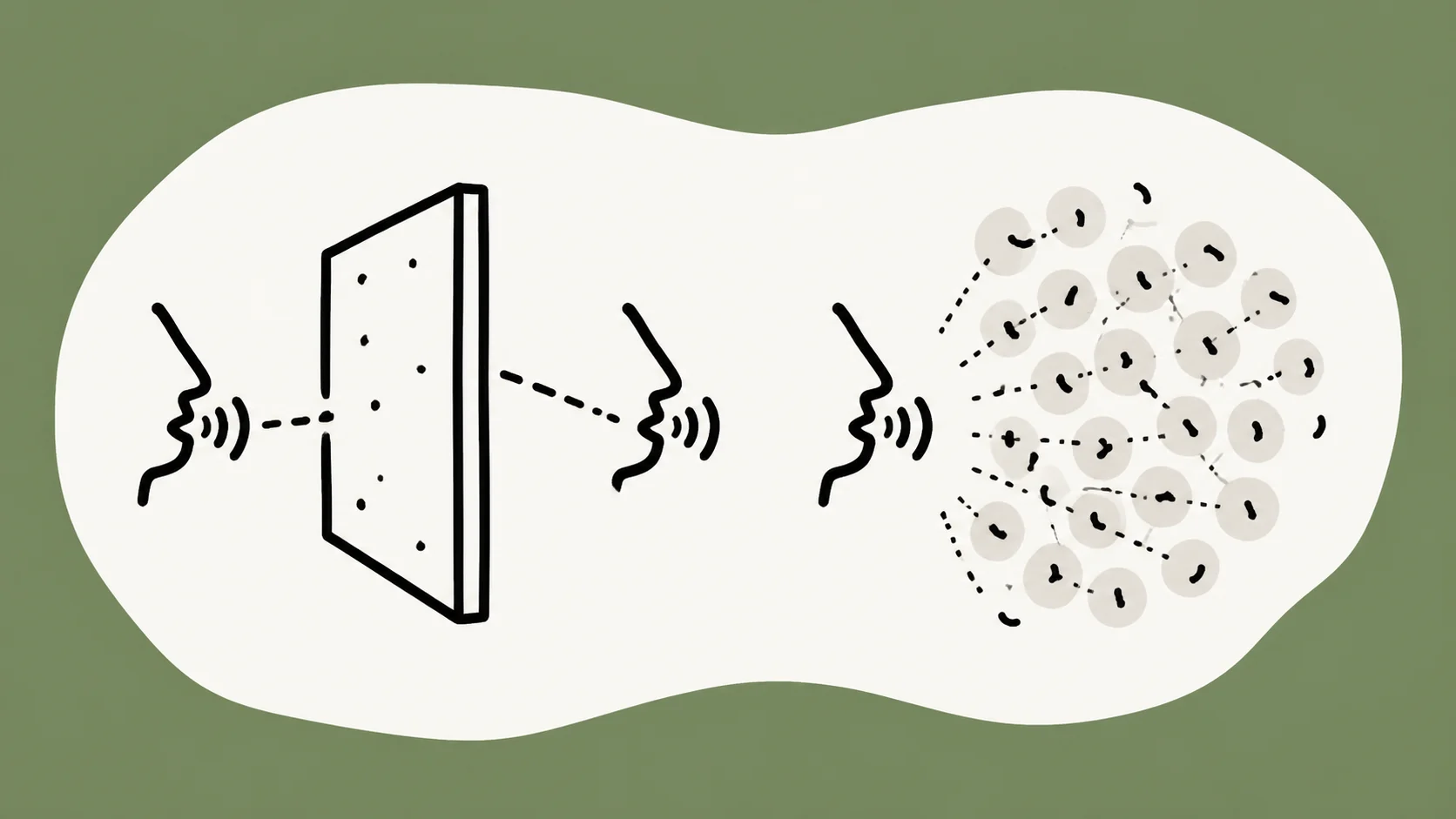
Echo is a recognizable delayed repeat; reverb is a dense blend of reflections that makes speech roomy or smeared. A repeat after a word suggests echo; a short decay after every syllable suggests reverb. SimpleClean targets steady hiss, hum, and room tone, not separate de-echo or reverb.
If the recording has steady hiss, hum, fan noise, or room tone, Test steady-noise cleanup and compare Original with Cleaned playback before downloading.
Echo and reverb are related but not the same
People often call any roomy recording “echo,” but the listening clues are different. Echo is a later copy of a sound that remains recognizable as a repeat. Reverb is a dense field of reflections that overlaps the original and fades into the next sound. Both can hurt speech intelligibility, but they do not point to the same cleanup path.
Diagnosing the sound first protects the voice. A background-noise process is designed for a fairly steady bed such as hiss, hum, or room tone. It is not a universal room-correction tool. The video cleanup guide shows where steady noise fits in a broader workflow.
| Sound | What you hear | Useful next question |
|---|---|---|
| Echo | A distinct delayed repeat of a word or phrase. | Is the room or surface creating a clear reflection? |
| Reverb | A blended decay that smears words and syllables together. | Can the recording position or room be improved? |
| Steady noise | A continuous hiss, hum, fan, or room bed during pauses. | Would a background-noise pass help without changing the voice? |
What echo sounds like
Echo gives the ear a second event to recognize. You may hear a word and then a quieter copy after it, especially after a loud syllable or a pause. The repeat can be obvious in a large reflective space or subtle enough to make only certain phrases feel doubled. The key is that the reflection keeps a separate identity.
Apple's delay-effects overview provides official audio-production context for delayed and repeating signals. The exact timing varies by room and recording, so avoid treating one rigid threshold as a diagnosis for every voice or microphone.
A recognizable delayed repeat
Choose a phrase with a clear ending and listen after the final word. If a smaller version of the word returns as a distinct sound, mark it as a likely echo. Clap tests can reveal the same behavior, but a recording may include both the room's reflection and the microphone's own position, so use the speech itself as the main evidence.
Noise reduction does not become echo treatment merely because both sounds are unwanted. Reducing a steady hiss may leave the repeat unchanged, and the quieter background can make the repeat more noticeable. That is a reason to re-check the diagnosis, not to promise a stronger pass.
Common causes and why denoise is not the same treatment
A bare wall, hard floor, distant microphone, speaker playback in the room, or an electronic delay can all contribute to a repeated sound. Fixing the cause may mean moving the microphone, using headphones, changing the room, or working in an editor with a tool intended for reflections. A general background-noise workflow has a narrower job.
When a file has both echo and a constant fan, separate the decisions. You can test the steady part conditionally, but judge the echo on its own terms. Keep the source and do not describe a quieter file as a dry or room-free recording.
What reverb sounds like
Reverb is a crowd of reflections arriving so close together that the ear perceives a tail or a smear rather than separate repeats. Speech can sound hollow, distant, or as if it was recorded in a bathroom or stairwell. The decay may wrap around every syllable, even when no single word repeats clearly.
Room size, surfaces, microphone distance, and the speaker's position influence the result. Adobe's dialogue-repair documentation keeps noise and reverb as different repair concerns. That separation is useful even when a recording contains both.
A blended decay after words and syllables
Listen for what remains immediately after a phrase. Reverb often appears as a soft continuation of the room rather than a copy of the word. Fast speech makes it harder to hear because each syllable lands before the previous reflections have faded. A short sample with pauses can make the room's tail easier to notice.
A hollow voice is not automatically reverb; microphone frequency response, distance, and a device speaker can create a similar impression. Compare headphones and speakers, then check whether the sound is present in the file or only in the listening environment.
Why a small room can still sound hollow
A small room with hard, parallel surfaces can return many early reflections. A microphone placed far from the speaker captures more of that room relative to the direct voice. Soft furnishings, a closer microphone, and a position away from a bare wall can change a future recording more reliably than trying to force every existing reflection out of a file.
iZotope's room-recording guidance is a useful primary source for the role of placement, surfaces, and room choice. Use it as prevention guidance, not as a claim that a particular room can be repaired by one automatic process.
A 30-second listening test
You can make a practical first diagnosis without measuring the recording. Pick a short phrase that ends with a clear word, lower the playback level to something comfortable, and listen three times. The aim is not to label every reflection perfectly; it is to decide whether a steady-noise workflow is relevant before you process the file.
- Listen for a separate repeat after a word. That points toward echo.
- Listen for a tail or smear around every syllable. That points toward reverb.
- Listen during a pause for hiss, hum, fan, or room tone. That points toward steady noise.
- Compare headphones and speakers so playback-room reflections do not become a false diagnosis.
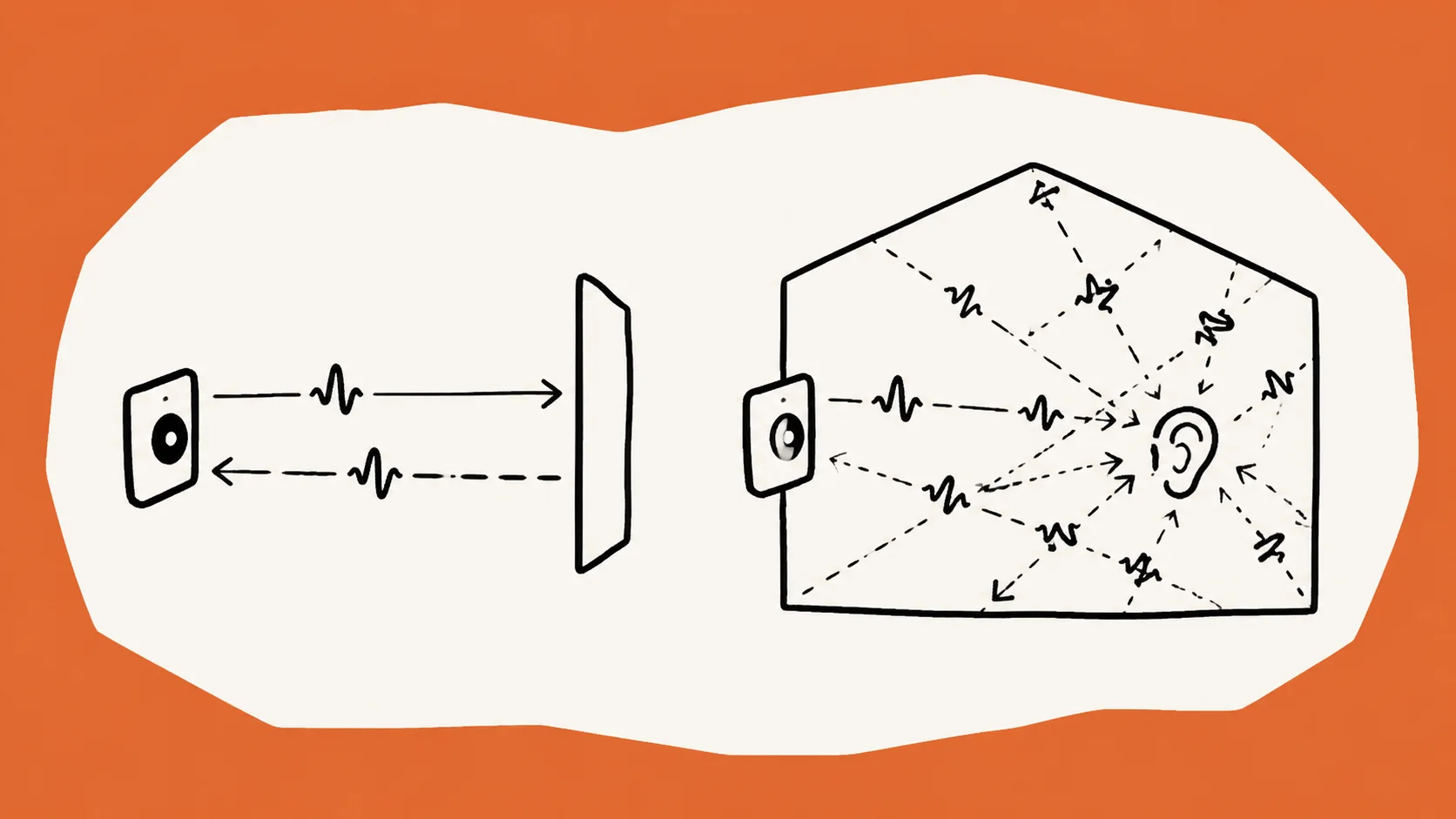
Listen for a repeat after a word
Use the final word of a sentence because it has less following speech to mask a repeat. If the copy is distinct, write down the phrase and keep it as a before-and-after checkpoint. If the supposed echo disappears when you change rooms or headphones, inspect the playback setup before changing the source file.
Listen for decay around every syllable
Reverb is easier to notice on plosives, sibilants, and the gaps between short words. The voice may feel far away even though no repeat is obvious. Compare a close-miked sentence with a distant one if you have them, but do not expect a single listening test to identify every acoustic cause.
Choose the next cleanup path
Once you have a working diagnosis, choose the least invasive next step. If the recording has a steady noise bed, test a background-noise pass. If it has echo or reverb, improve the recording environment or use a specialized editing workflow. If it has both, address the dominant problem first and review the result before adding another change.
Hiss, hum, or steady room tone
This is the branch where SimpleClean may fit. It accepts one audio or video file per run, has a default 500 MB and 15-minute limit, and provides Original/Cleaned playback. Audio inputs include MP3, WAV, M4A, AAC, FLAC, OGG, and OPUS; video inputs include MP4, MOV, MKV, WebM, and AVI. The output is MP3 for audio or MP4 for video.
Use the podcast cleanup workflow when the source is a spoken episode, or the Voice Memos guide when the file came from an iPhone. In both cases, compare the natural voice rather than chasing a silent pause.
Echo or reverb
SimpleClean does not offer separate de-echo or reverb controls and does not promise arbitrary echo or reverb removal. A cleaned file may still sound roomy, and a lower noise bed can make its reflections more obvious. Change the room, microphone placement, headphones, or editing path when those are the dominant problems.
That limitation is useful information, not a reason to abandon the recording immediately. It tells you which expectation to remove. Keep the original, make only one controlled trial when steady noise is also present, and do not call the result a dry recording unless you have actually verified it with an appropriate tool.
Mixed problems
A room can contribute reverb while equipment adds hum. A remote recording can contain both a codec texture and a fan. Separate the audible problems in your notes, then change one variable at a time. If the voice becomes metallic or watery, return to the least-processed source and read the artifact recovery guide before trying another pass.
A diagnosis is successful when it prevents an unsuitable promise. You may not remove every defect, but you can still choose a workflow that preserves the information and makes the next recording better.
Prevent echo and reverb in future recordings
Prevention is often the most dependable acoustic fix. Move the microphone closer without creating plosives, use headphones so speakers do not feed the room, and avoid aiming a microphone at a bare wall. Soft furnishings can reduce hard reflections, but they are not a substitute for checking the microphone's actual position and the room's sound.
Record a short test and listen before the full take. If the room is part of the intended sound, keep it deliberate. If the goal is intimate speech, make the direct voice stronger at capture and leave a source copy so later cleanup can remain light and reviewable.
Frequently asked questions
What is the difference between echo and reverb?
Echo is a distinct delayed repeat that the ear can recognize as a second copy. Reverb is a dense blend of reflections that creates a tail or smear around words. Both come from reflections, but the listening clues and useful next steps are different.
How can I tell whether a recording has echo or reverb?
Listen for a recognizable repeat after a word to identify likely echo. Listen for a blended decay around each syllable to identify likely reverb. Check a pause and compare headphones with speakers too, because the playback room can add reflections that are not in the recording.
Will noise reduction remove echo?
Do not count on it. Noise reduction targets a steady bed such as hiss, hum, or room tone, while echo is a delayed reflection. Reducing the bed may leave the echo unchanged or make it easier to hear. Choose a workflow intended for the room reflection when that is the dominant issue.
Is room tone the same as reverb?
No. Room tone is the ambient sound of a space during a pause, such as a quiet HVAC bed or subtle background air. Reverb is the decay of reflections around the voice. A recording can contain both, so listen to the pause and the end of a phrase separately.
Why does my voice sound hollow?
A hollow voice can come from room reflections, microphone distance, device playback, or the microphone's frequency response. Compare the file on more than one playback system and listen for a tail after syllables before deciding that it is reverb. Prevention or a specialized editor may be more suitable than denoise.
Does SimpleClean remove reverb or echo?
SimpleClean targets steady hiss, hum, and room tone. It does not offer separate de-echo or reverb controls and does not promise arbitrary echo or reverb removal. If the recording also has steady background noise, you can test one file and compare Original with Cleaned, but keep the expectation narrow.
Sources and Further Reading
These official or primary references support the platform, format, and audio-production claims in this guide. Product behavior and platform interfaces can change, so the linked documentation remains the authority.
- Delay effects overview — Apple Logic Pro. Provides official context for delayed and repeating signals without treating all room sound as the same effect.
- Repair dialogue — Adobe Premiere. Separates noise, hum, and reverb concerns in dialogue repair workflows.
- Enhance audio — Apple Final Cut Pro. Supports keeping background-noise and hum enhancement distinct from other audio defects.
- What room to record in — iZotope. Explains how room surfaces, microphone position, and soft furnishings affect reflections during recording.
Compare before you commit
Use SimpleClean conditionally: if your recording has steady hiss, hum, or room tone, upload one file and compare Original with Cleaned. If the dominant sound is a repeat or a blended room decay, start with acoustic treatment or a specialized editor instead of expecting a de-echo result.
Test steady-noise cleanup